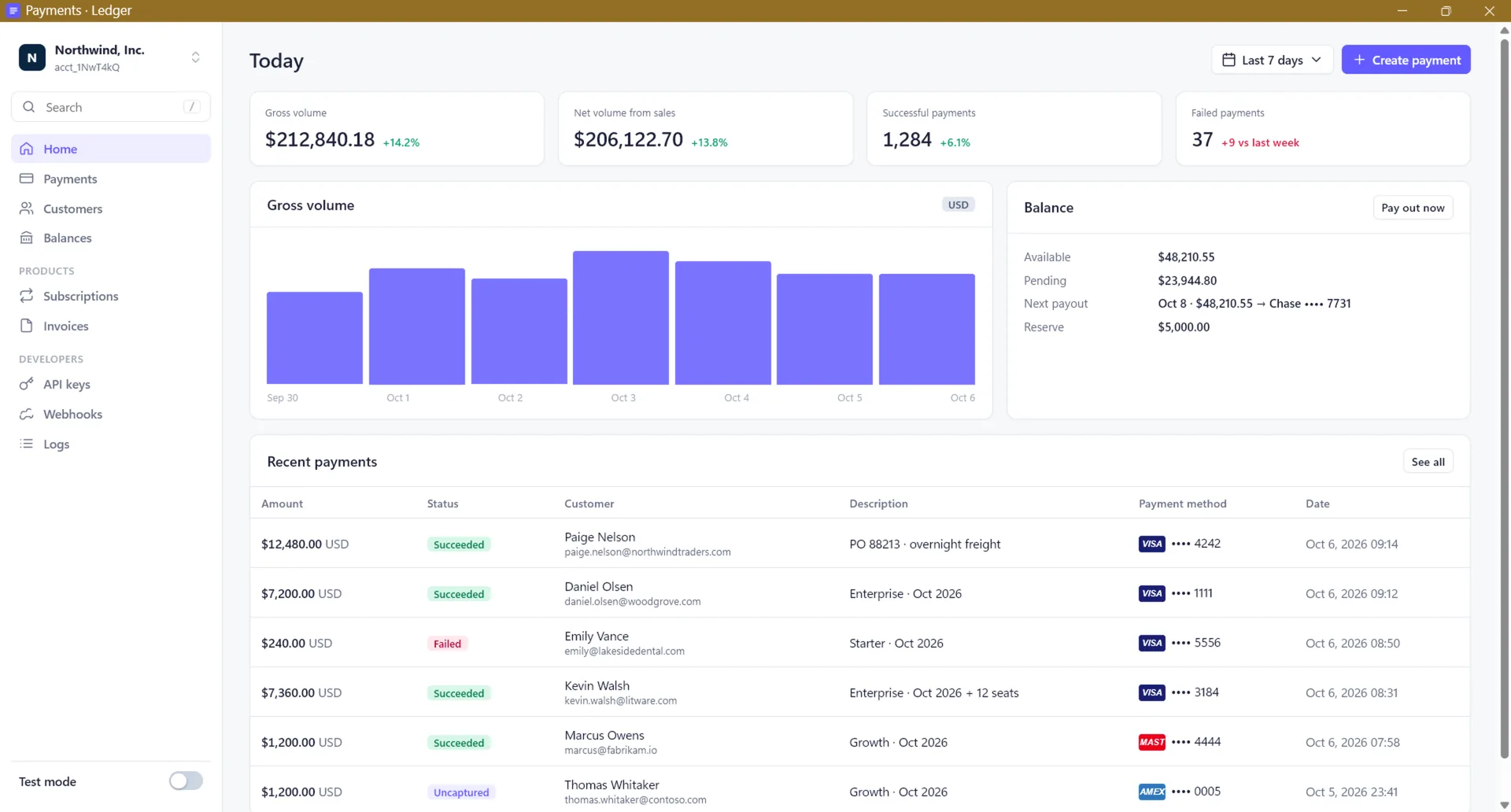
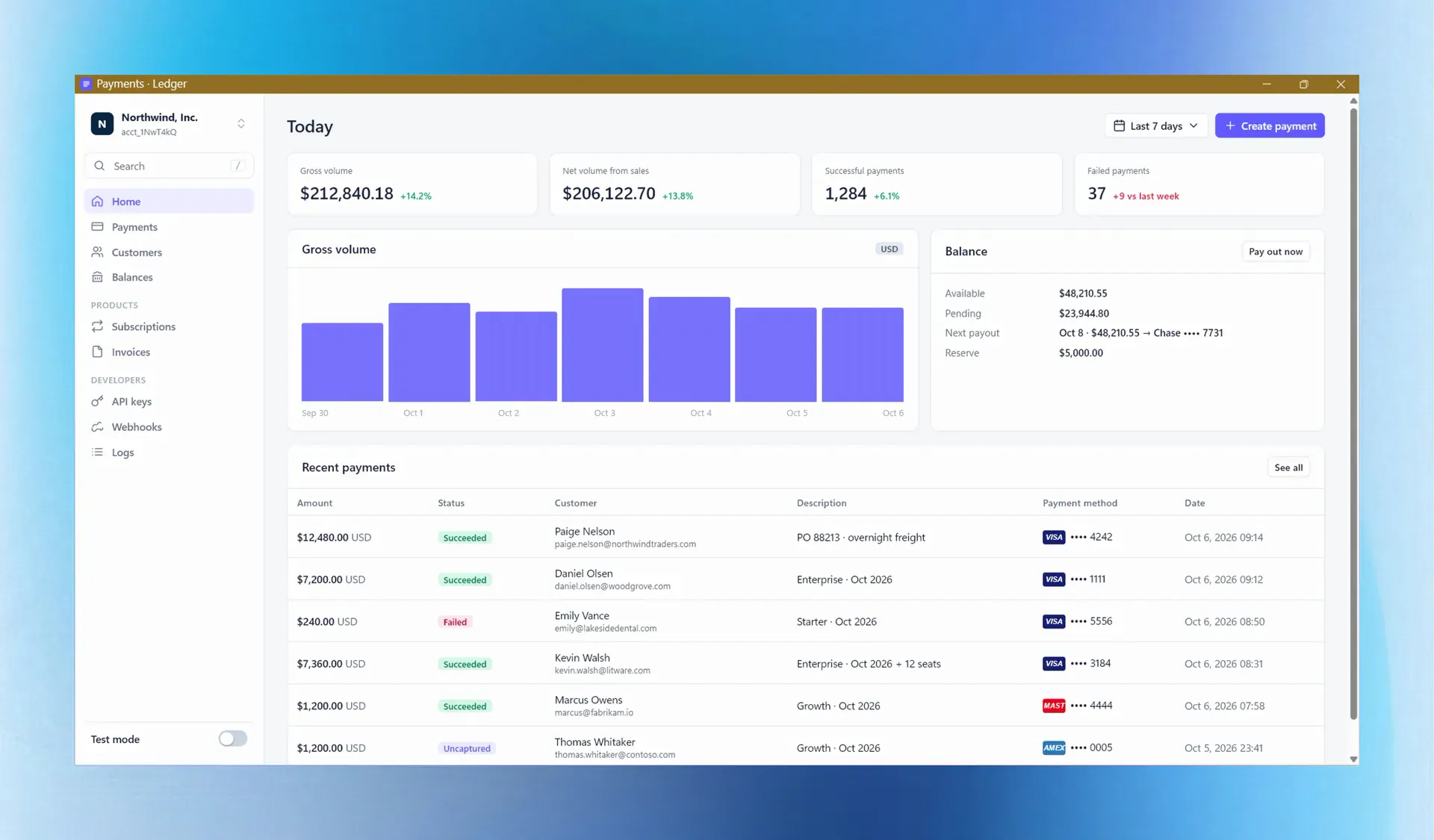
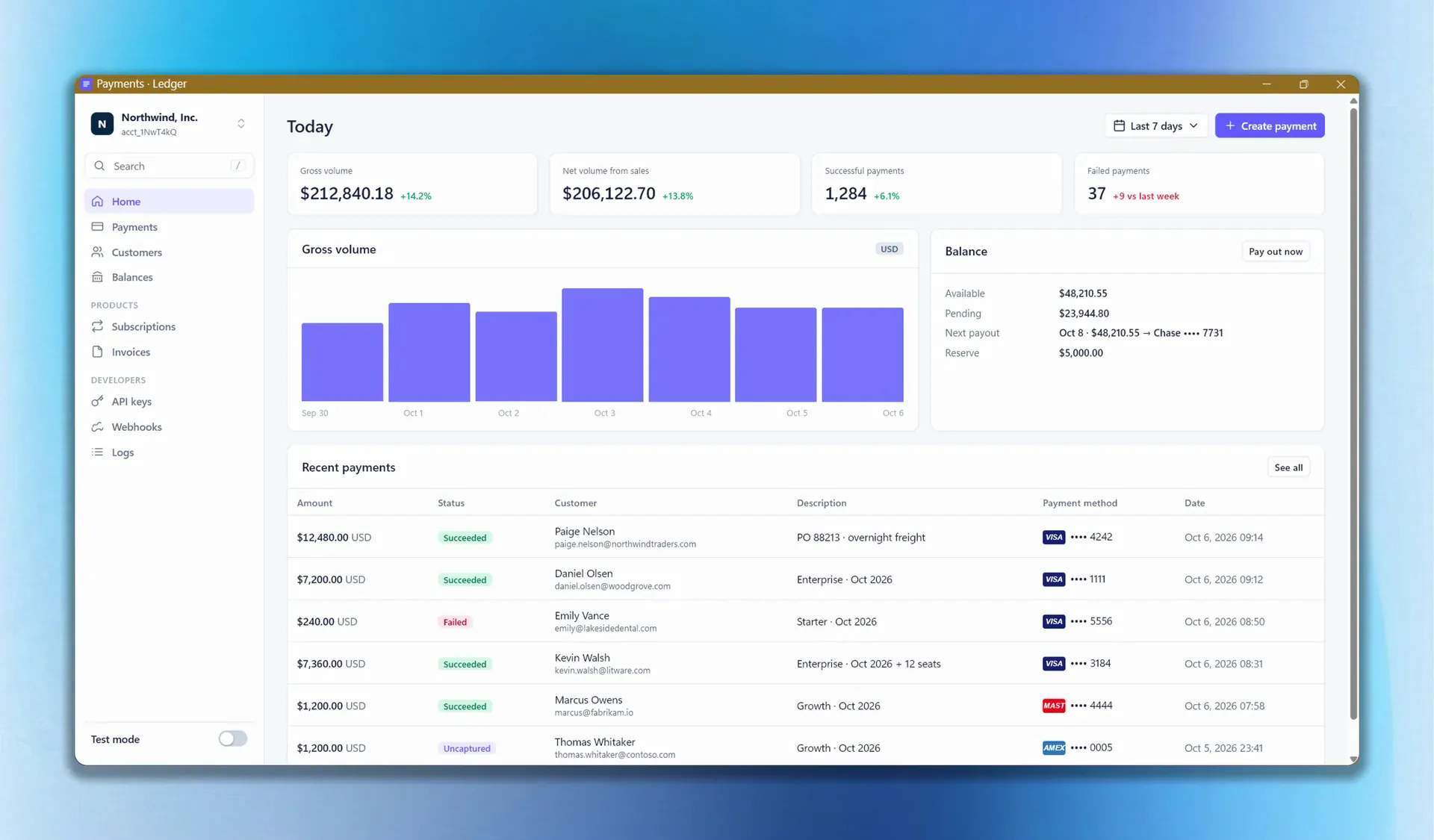
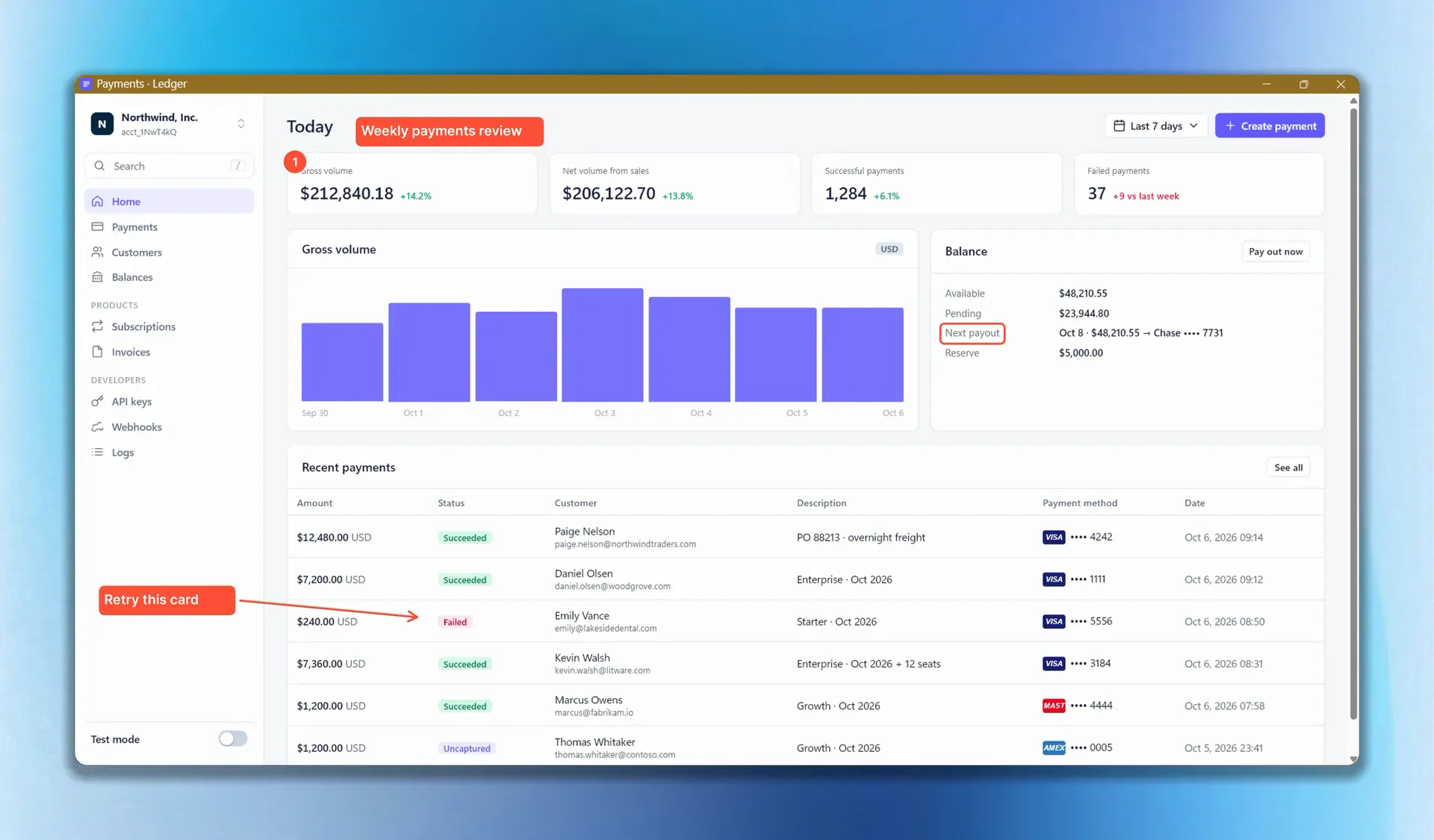
The all‑in‑one screenshot and screen‑recording studio for Windows.

Capture beautiful screenshots, annotate, cover sensitive content automatically, record with a 3D zoom that knows what’s going on, add brand intros and captions, and automate repetitive tasks with your AI agent. All in one app, better than the rest.

Download for WindowsSee pricing

$1.99€1.99£1.69 a month, or $24.99€24.99£21.99 once. Windows 10 and 11. No account needed to start.

Screenshot editor

  1. Background
  2. Corners and shadow
  3. Arrows
  4. Smart Redact
  5. Lighting
  6. 3D tilt
  7. Export

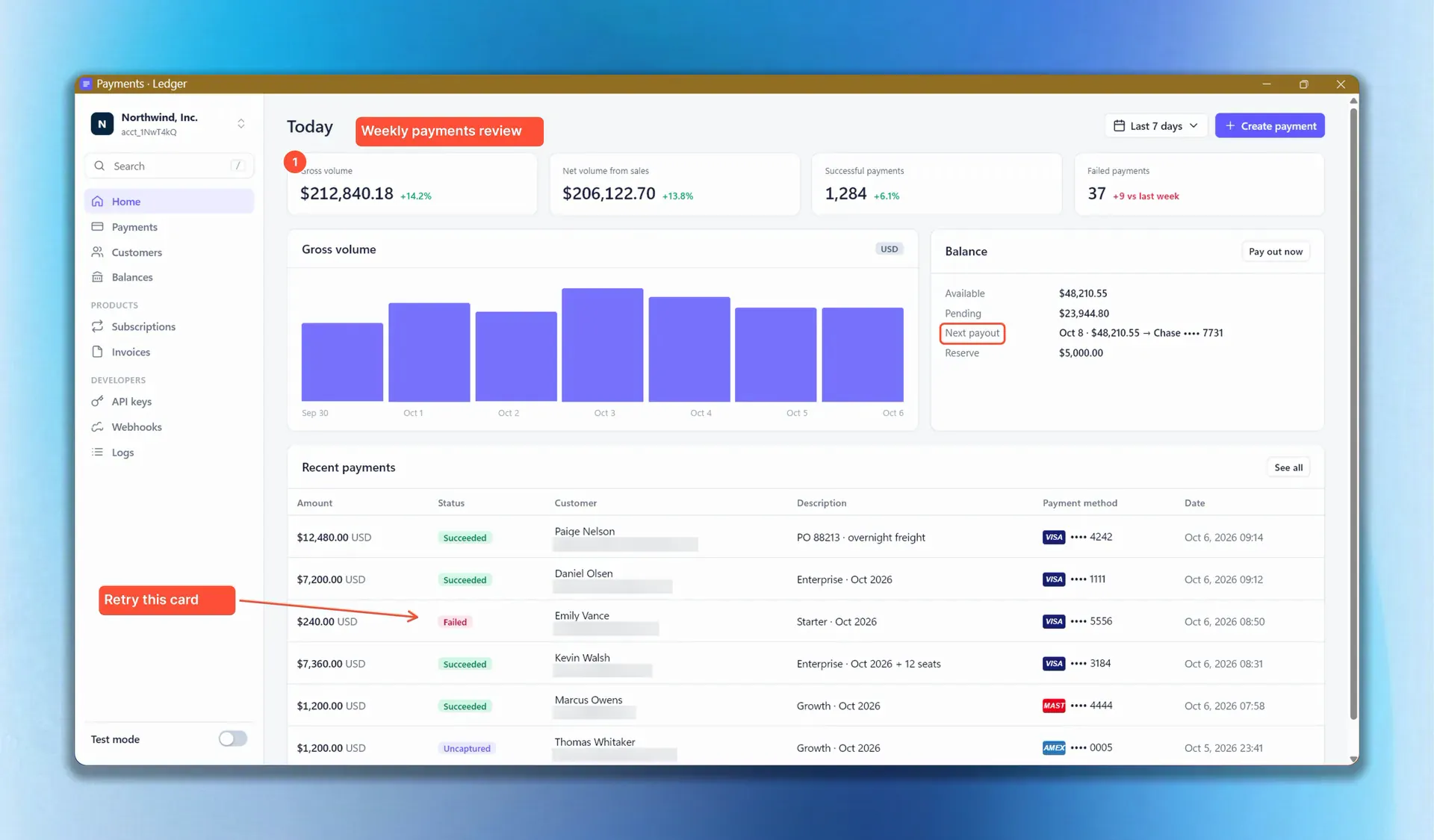
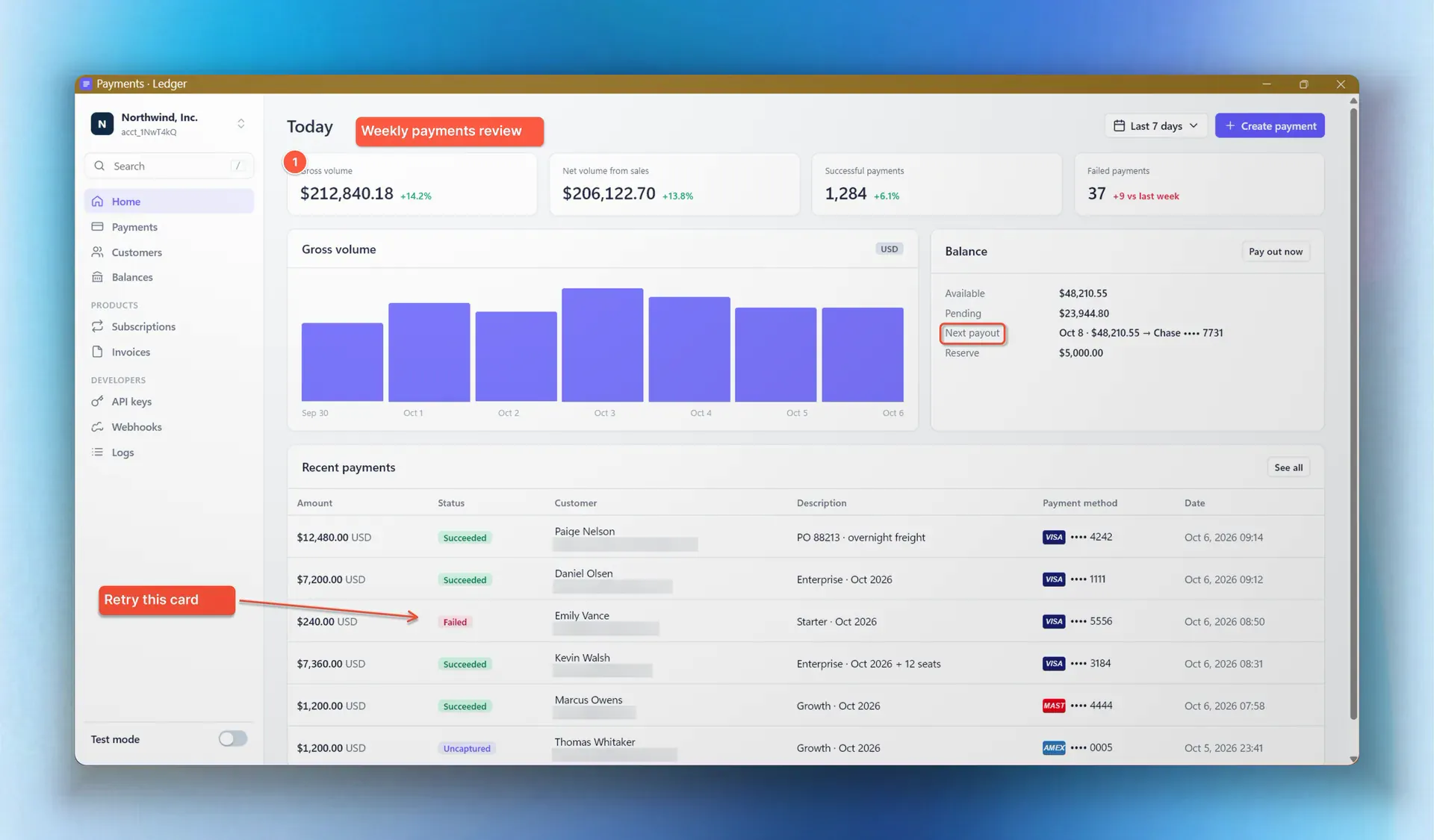
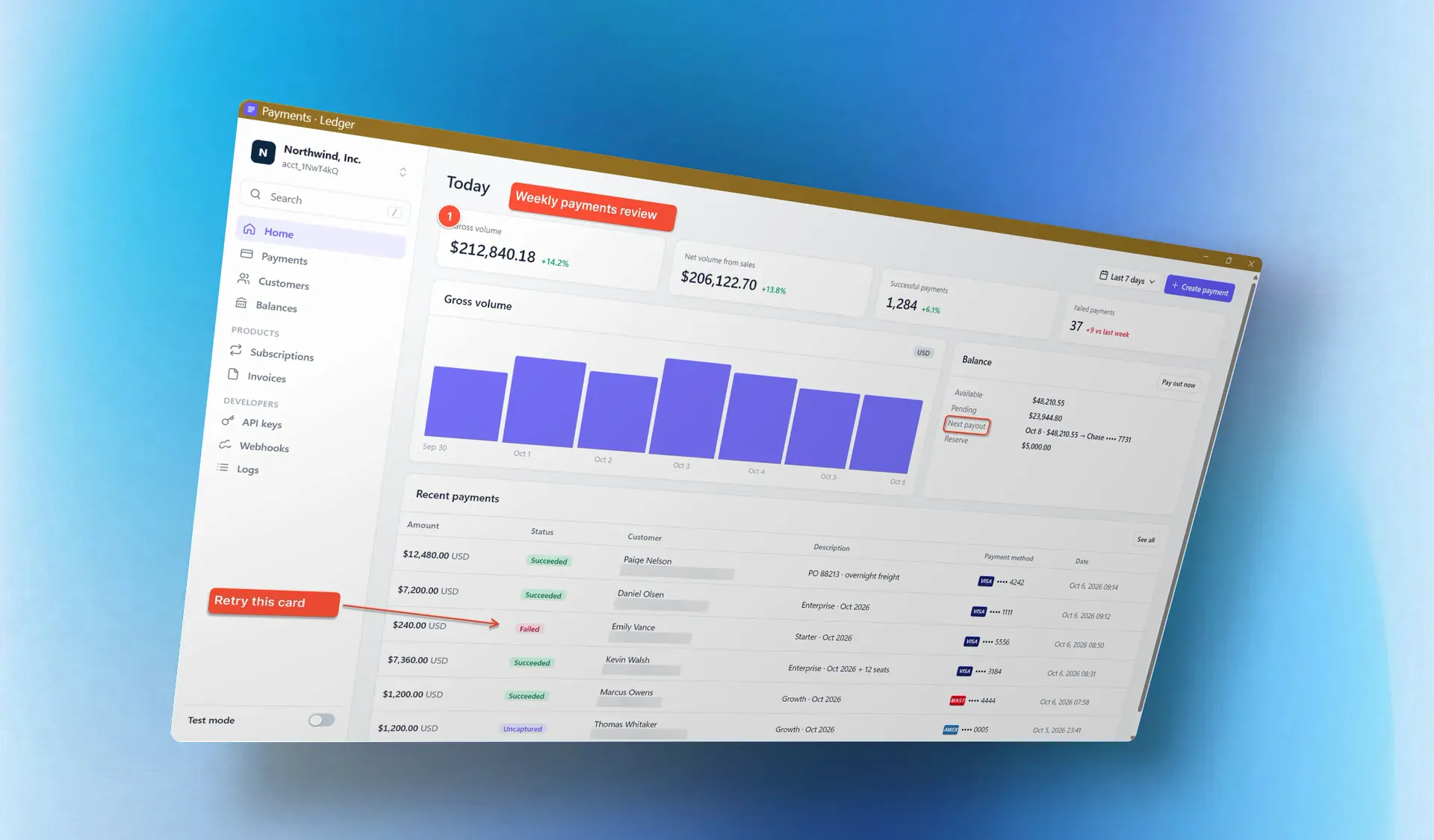
A real capture of a payments dashboard gets a background, rounded corners and a shadow, a labelled arrow, Smart Redact covering six customer emails, a window light and a 3D tilt, then exports as a lossless PNG.

Video editor

  1. Intro
  2. Smoothed cursor
  3. Auto-zoom
  4. Smart Redact
  5. Keystrokes
  6. Captions
  7. Export

A recording of the same dashboard opens with a word-glide intro, then a smoothed cursor clicks a failed payment, the view zooms in with a 3D tilt, customer emails stay covered in every frame, a keystroke badge and captions appear on the timeline, and the video exports on the GPU.

Made for the work you already do

  • SaaS founders

    Product demos and launch videos

    Record the feature, let the zoom follow your clicks, put it on a 3D card with an intro, and export wide for the site and vertical for the feed from the same project.

    Recording

  • Course creators

    Tutorials and lessons

    Keystroke badges show what you pressed, captions say why, and subtitles are generated on your PC from your voice. Edit the words without touching the timing.

    Captions and subtitles

  • App developers

    Release notes, docs and bug reports

    Physical-pixel captures, so a 12px label is readable in the README. Counters, arrows and boxes stay editable, and your API keys are covered before the file exists.

    Smart Redact

  • Content creators

    Posts, shorts and thumbnails

    Beautify gives a capture a backdrop, corners, shadow, lighting and a tilt in one click. Save the look as a brand kit and every post matches the last one.

    The screenshot editor

  • Support teams

    Help-centre articles and walkthroughs

    Ask your AI agent for every step of a setup and get a numbered, cropped, annotated set with a manifest. When the UI changes, run the same plan again.

    Automation

  • Marketing teams

    Promotional clips and ad creative

    Sixteen intro styles, twelve transition kinds, a cinematic camera and motion blur, rendered on the GPU. One licence, no per-seat cloud plan.

    Pricing

Tired of ugly, low-res, boring screenshots?

ScreenArt Pro makes every one exceptional. For everyone.

Every capture is taken at your display’s true resolution, so even the smallest label stays razor sharp. One click adds a backdrop, soft shadows and light.

Then make it exactly yours. Every arrow, number, highlight and blur is its own layer, just like in Photoshop. Reorder it, duplicate it, restyle it whenever you like. The original pixels underneath are never touched.

About the screenshot editor

Layers6

  1. ArrowTo “Retry payment”
  2. Step 2Counter
  3. PixelateCustomer email
  4. Step 1Counter
  5. Highlight“card declined (code 05)”
  6. Original imagePixels stay untouched

Automatically hide sensitive data in screenshots

Emails, keys and card numbers are detected on your PC, in screenshots and in recordings. Each cover samples the colour around the match, so it looks like part of the page rather than a black bar.

How Smart Redact works

Customer record

Customer
Northwind Traders
Billing email
redacted
Card on file
redacted
Plan
Business, annual
API key
redacted

3 matches covered before sharing

Cinematic motion brings every recording to life

Hit record and simply use your app. Every recording comes back with beautiful, cinematic zooms that glide in on each click, a cursor that moves like silk, and captions and keystrokes exactly where they belong.

Every moment sits on the timeline, yours to move, trim or remove. Then export it wide, square or vertical. One project. Every screen.

About recording

Hundreds of beautiful screenshots from just one sentence

Just explain your idea or plan, and let Claude, Codex or any other AI agent do the rest. It finds the right windows, works through every step, and hands back a numbered set of cropped, annotated screenshots. It can even perform a walkthrough and record it for you.

And because ScreenArt Pro takes every shot, every one comes out pixel-sharp, styled and ready to publish. Nothing like the blurry, low-res captures an AI agent makes on its own.

You stay in control throughout. Everything happens right in front of you, and one press of Esc stops it.

See the automation tools

What your agent can do with it

Connect Claude, Codex or any AI agent, and it can see, capture, record and style with ScreenArt Pro. You approve every session, and Esc stops a run at any moment.

See your screen

It finds every open window and reads the text on it, so it knows exactly what to point at. It reads words and positions, never your pixels, and secrets are masked first.

Take a finished screenshot

Cropped to the part that matters, sensitive data covered, arrows, boxes, counters and captions placed on the right labels, your brand kit applied. Ready to publish.

Shoot a whole guide

A numbered screenshot for every step of a task, all in one folder. It can reshoot a single step without redoing the rest, and pick up a stopped run where it left off.

Record a demo

It moves the pointer, clicks and types on the live app while the camera zooms to each step, sketches a circle or an arrow where it lands, and adds a caption. Out comes an MP4, GIF or WebM.

Replay what you rehearsed

Do a task once yourself. Your agent can read it back, fix a button that was renamed, and replay it as a clean recording at the pace you choose.

Design the look

It uses your brand kits by name, and can design a new animated intro, preview it, and save it straight into your video editor.

Set it up

Switch on Automation in Settings, add ScreenArt Pro as an MCP server in your client. How a help-centre guide gets made

Easier. More yours. More powerful. And a fraction of the price.

  • Easy

    Anyone can take breathtaking screenshots with the power of ScreenArt Pro. One shortcut to capture. One click to make it beautiful. And an editor that feels familiar from the very first moment.

  • Yours

    Make it look the way you work. Seventeen built-in themes, from frosted Aero glass to Nyx and Ember, each in light and dark, or design your own. Every look is a preset you can tune and save, and brand kits carry yours across screenshots and video.

    • Aero
    • Nyx
    • Ember
    • Blue Lagoon
    • Portland
    • Facelift
    • Dirt
    • Lavender
  • Powerful

    It costs the least, and it does the most. Smart Redact finds secrets on its own. Walkthroughs turn a task you did once into a polished recording. And your AI agent can run all of it. Put it side by side with the rest, and it is the best of them.

    See how it compares

  • Cheap

    $1.99€1.99£1.69 a month, or $24.99€24.99£21.99 once and it’s yours. Screen Studio charges $29 a month, and only runs on a Mac.

Privacy first

Nothing leaves your machine

Runs on your device

Capture, editing, text recognition, redaction and recording all run locally. Previews are rendered locally too.

Sharing is a separate button

Export writes a file where you say. Sending it anywhere else is a button you press yourself.

No sign-in to start

A licence key activates the app. Your web account only holds billing and invoices.

Buy ScreenArt Pro

Access to everything, from $1.99€1.99£1.69 a month. Or pay once, and it’s yours forever.

Monthly

$1.99€1.99£1.69/month

Access to everything.

Every tool and every update, for as long as you like. Cancel any time from your account.

  • Every single feature: the screenshot editor, screen recording, Smart Redact… everything!
  • Your AI agent can run all of it
  • Every new feature, the day it ships
  • A single license for up to 3 devices
Subscribe

One-time

$24.99€24.99£21.99once

Pay once, yours forever.

Access to everything, with no subscription and nothing to renew. It never stops working.

  • Everything in Monthly
  • Two years of updates included
  • Then keep the version you have, for good
  • About the price of a year on Monthly
Buy once

Prices before VAT, which is added at checkout where it applies. Checkout charges in your local currency and is run by Polar, the merchant of record, who also sends the invoice. 14-day refunds on either plan.

FAQ

Is the data in my screenshots secure?

Yes. It never leaves your PC. Capture, editing, text recognition, redaction and recording all happen on your device, with no cloud in between. The only thing the app sends is a licence check, and nothing is shared until you press Share.

What is the difference between the two plans?

Both give you access to everything. Monthly is $1.99€1.99£1.69 a month, with every update for as long as you subscribe. One-time is $24.99€24.99£21.99, paid once and yours forever, with two years of updates included; after that, the version you have keeps working.

Which Windows versions are supported?

Windows 10 and 11 on x64. Capture uses Windows Graphics Capture; GPU encoding is used when available.

Is there a Mac version?

Not yet. The shared core is being extracted so a native Mac app can follow. The Mac waitlist is where you hear first.

What formats can I export?

PNG, JPEG and WebP for stills; MP4 (H.264), WebM and GIF for recordings; SRT and VTT subtitles.

Can I get an invoice with VAT?

Yes. Polar is the merchant of record and issues a compliant invoice at checkout. Invoices live in your account.

Is there a refund policy?

14 days, no questions asked, on either plan.

How is it cheaper than Screen Studio or CleanShot X and still better?

I’m a solo developer, and I know how expensive life has become in every way. I don’t want to be greedy: I built the best tool I could for myself, and I’m sure other people will find beautiful and creative ways to use it too. The economics are simple. There is no cloud hosting, so nothing leaves your device. That is more secure for you, and it is what makes a low price viable for me to maintain. On top of that, Screen Studio and CleanShot X are macOS-only, while ScreenArt Pro is built for Windows first, does screenshots and video in one editor, redacts secrets automatically, and is the only one of them your AI agent can operate.